UX or User experience seeks making every visitor feel like the website they’re navigating on, was built just for them. For that, weed to know who the audience is, how they behave and what their needs/concerns are. Most of these users will have similar attributes, we can use them to create an imaginary persona. This persona is used as a reference for further experiments. Once this information is collected and established we can start thinking about user experience.
Most often visors end up on a site as a result of using a search engine. Because people navigate through the website with a specific goal in mind, it’s important that they reach that goal quickly and effectively. Whatever page they land on first, they have to be able to spot immediately the information they need. A clear site tagline, a descriptive navigation, a descriptive page heading, informative pictures & summary texts can help with that.
Clear language can really help a first time visitor to make their way around the website. The content has to make sense to everyone, professionals and beginners alike. A simple design with non-invasive advertising have both the potential to create a compelling visual story, if it doesn’t, it’s not supposed to be on the page.
The design has to be consistent throughout the website. The faster the user adapts to the website, more time they get to spend focusing on the content they desire. A standard design makes things easier for the user, who’s already familiar with some elements major sites have already adopted.
Navigation
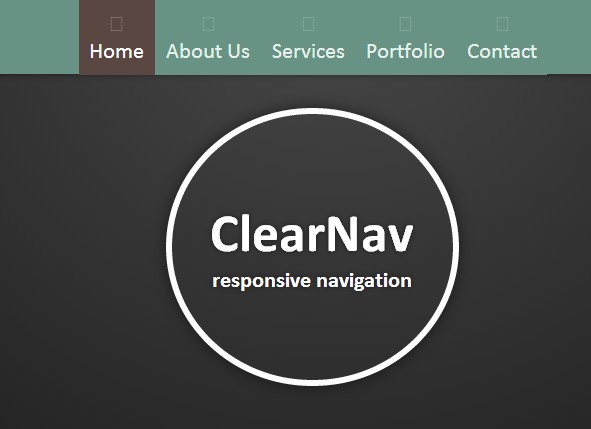
The user needs to know where on the website, is at all times. For orientation, we can use suitable words, images, additional information in the headings, clear navigation elements. Depending on their task, visitors use any combination of these elements to first situate themselves and then look for the content they need. People have to understand which section appeals the most to them, words that they’re already familiar with.
- Task based navigation structure: using verbs
- Category based navigation structure: using nouns
- Audience based navigation structure: split the content so that it’s relevant for each type of visitor
Homepage
The homepage is essential. It has to clearly show what the website does. The terms should be phrased according to user’s needs. Make people feel welcome by giving them plenty of content to dive into. The home page is also the location where it’s indicated where the visitor should go next, like check a product or a service. Changing frequently the content on the homepage is a way to keep it fresh for returning visitors. If not careful, the homepage can get cluttered which may lead to confusion. Homepage isn’t the best place to show everything to the users, but to set their research in motion. Just in 5 seconds, the user should be able to tell what the site is about.
Media content
Using the right type of media to help tell a better story. Different types of media can target different type of information. First of all, it has to enhance user’s experience and also the information presented. Elaborated graphics are good for further explanation, less for decoration. Each piece of media presented should have a description and a download page.
Reconcile adverts and content
Depending on how valuable a website’s content is, the less likely it is that users can find it elsewhere. In this case, we can indulge in more advertisements. Good content, that is actually valuable to the consumer will generate more enthusiasm that will overpower the adds. Add banners should be placed consistently in the same areas on the website’s pages, where people will be familiar with them and not scared off or irritated. This method will help retain the key areas of the page for actual content, but still provide a balanced mix of content and advertisements. Instead of making more flashier adds in order to catch the user’s attention, it’s better to make sure that they’re relevant.
A remarkable user experience can be summarized in a few key concepts: keeping things simple, consistent and standart. The user should be able to spend a minimal amount of time figuring out things and adapt intuitively. The originality of the website should be capitalized from its content and how its presented. The structure should remain as simple as possible to make the interaction easy to learn and remember. The user & content is king, making things easier will only highlight the true value of your website.




 Design the Web